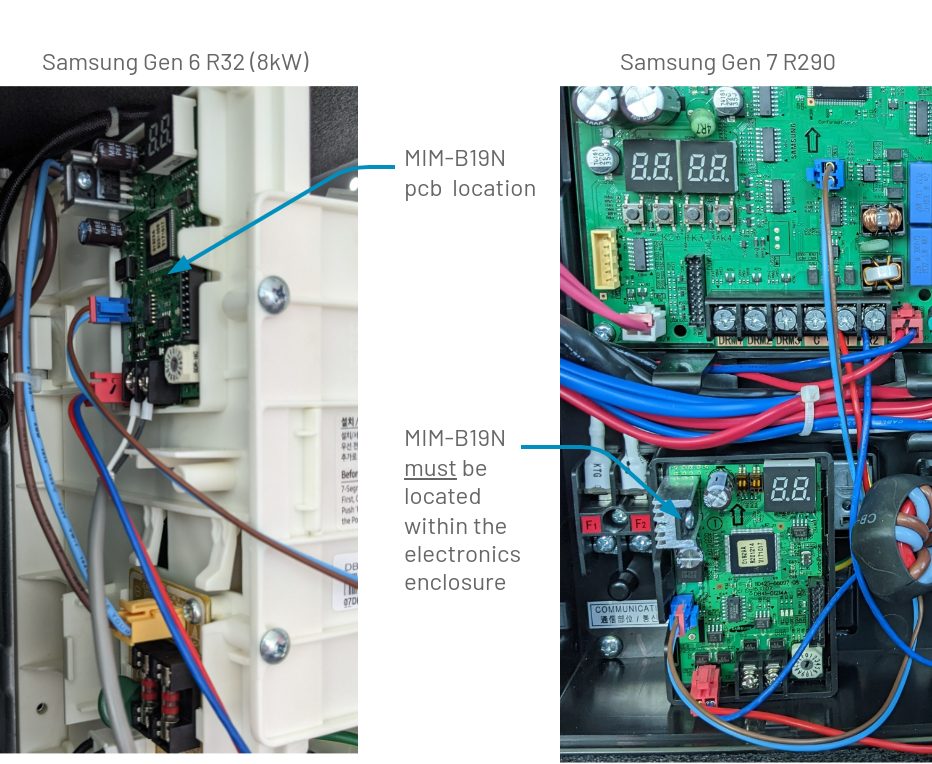
Route the RS485 twisted pair screened cable to the Samsung outdoor unit. On the outdoor unit use the same cable grommet for both Samsung communication cable and the Passiv Smart Thermostat RS485 cable. Feed the RS485 cable inside the outdoor unit and make the following connections:
- Connect the partially blue 12v DC power supply connector to CN12 on the outdoor unit main board.
- Connect the red connector’s red wire to R1 and the blue wire to R2 on the outdoor unit sub board.
Tables can't be imported directly. Please insert an image of your table which can be found here.
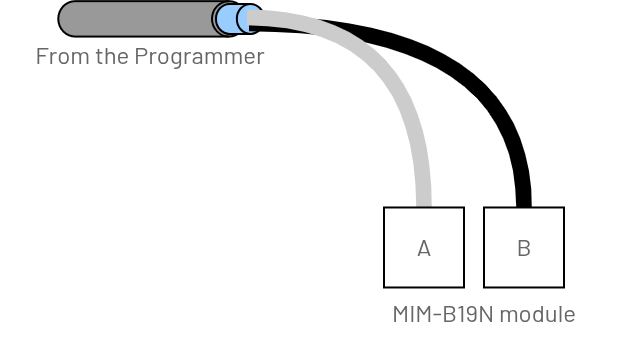
MIM-B19N in the middle of the RS485 cable runMIM-B19N at the end of the RS485 cable run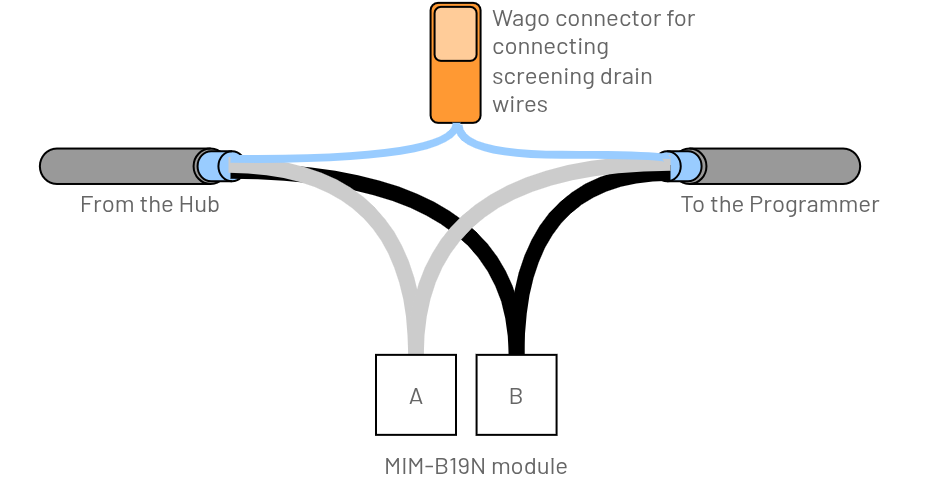
Guidance
- Connect both screened drain wires together, insulate and carefully locate it at the edge of the unit to reduce the chance of a short-circuit.
-
RS485 termination within the Passiv Programmer (see the Installation guide page 9)
Guidance
- Do NOT use the RS485 termination within the Passiv Programmer (see the Installation guide page 9)
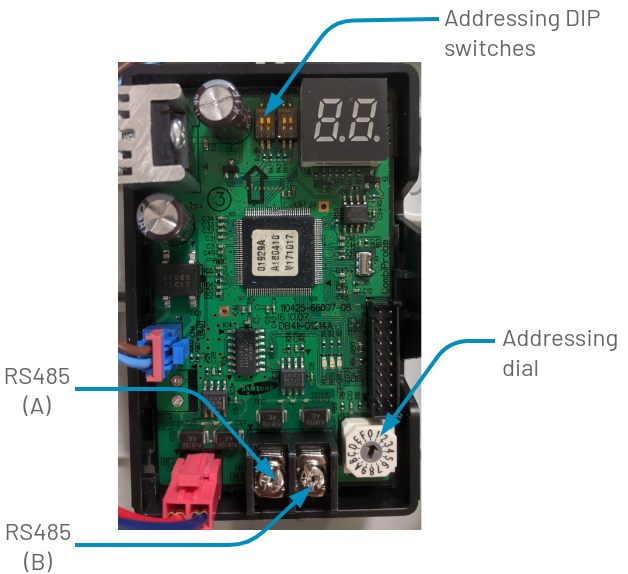
Set the MIM-B19N “Addressing DIP switches” next to the “8.8.” in the ON (up) position and the “Addressing dial” set to “1”. If these settings are changed whilst the MIM-B19N is powered up, disconnect the 12v DC connector on CN12 or switch the heat pump off and back on again after 5 seconds for the RS485 address to take effect.
Tables can't be imported directly. Please insert an image of your table which can be found here.