
To enable the Passiv Smart Thermostat to control Mitsubishi heat pumps, it requires a MelcoBEMS mini communication module, which is fitted and connected inside the Mitsubishi indoor unit.
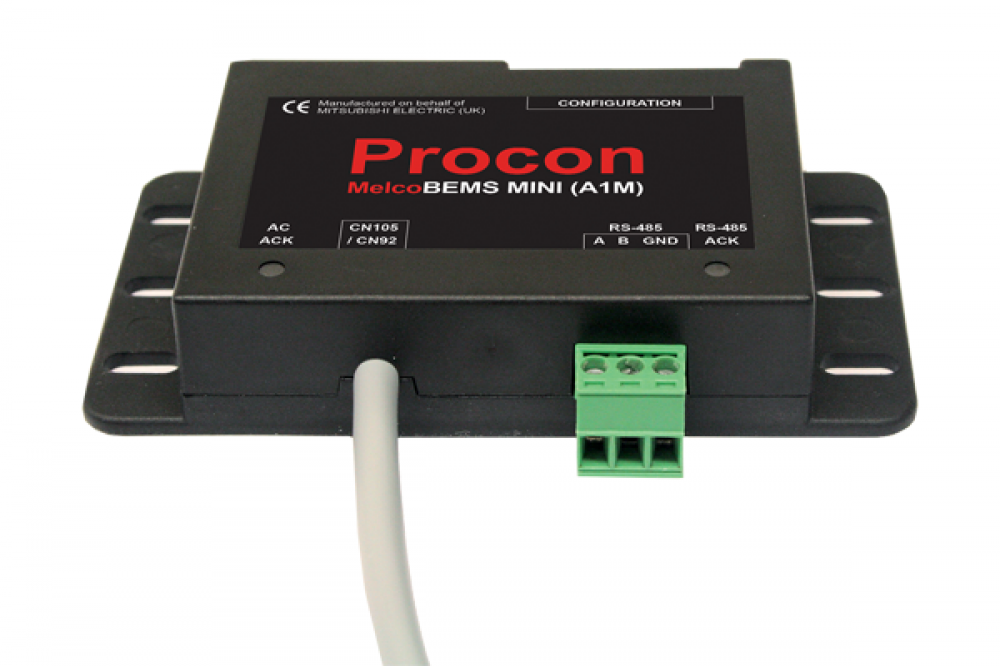
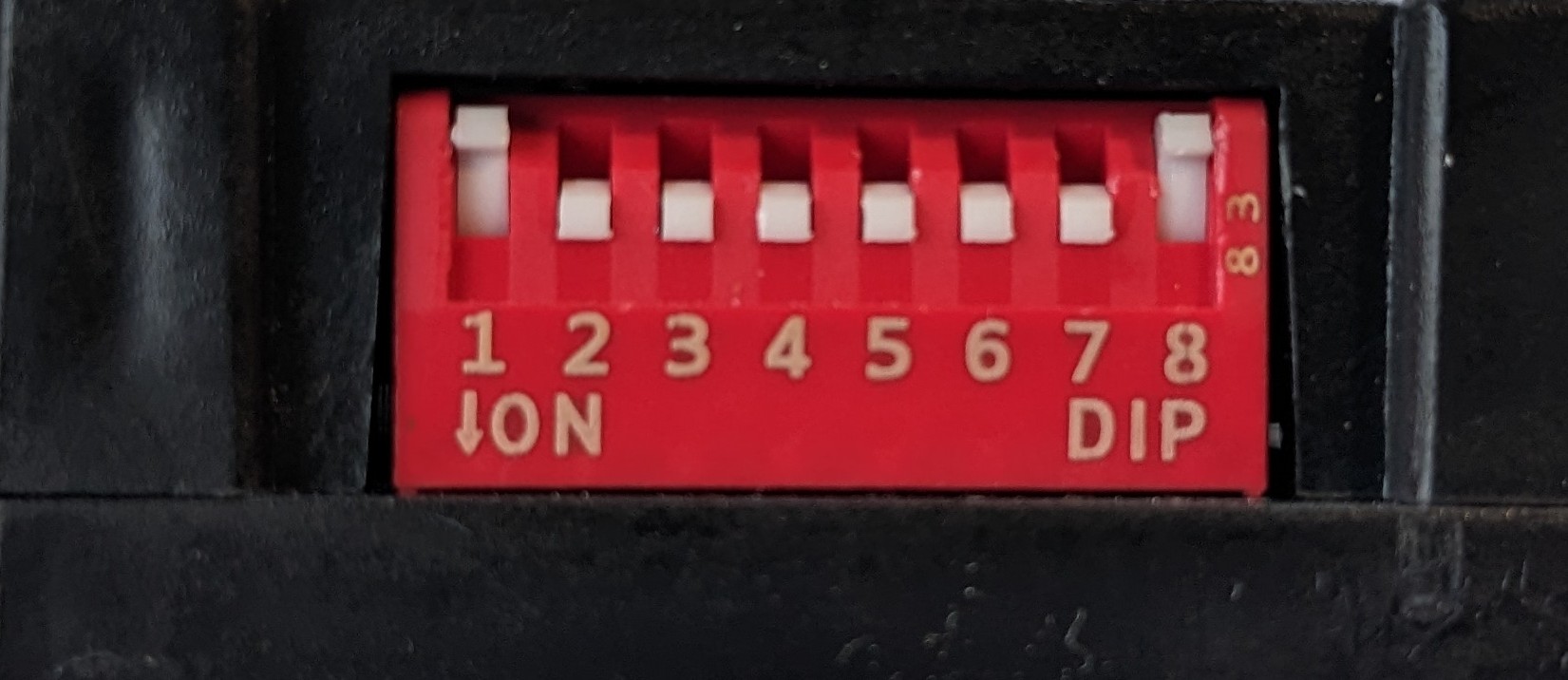
On the MelcoBEMS mini are a set of eight DIP switches which must be set correctly 1 OFF, 2-7 ON, 8 OFF for the Passiv Smart Thermostat to communicate successfully with the heat pump.
Tables can't be imported directly. Please insert an image of your table which can be found here.
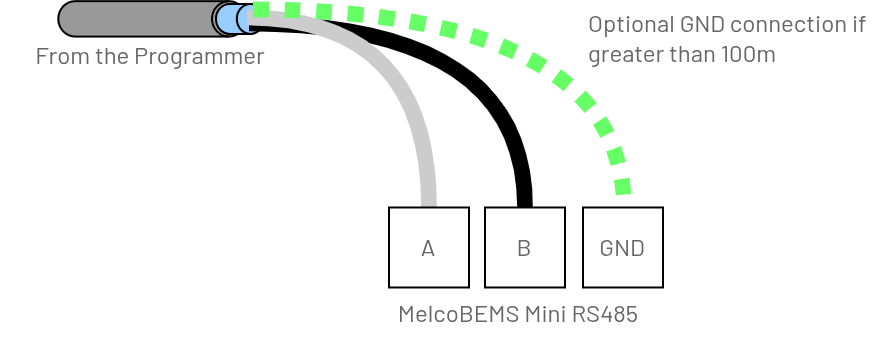
MelcoBEMS in the middle of the RS485 cable runMelcoBEMS at the end of the RS485 cable run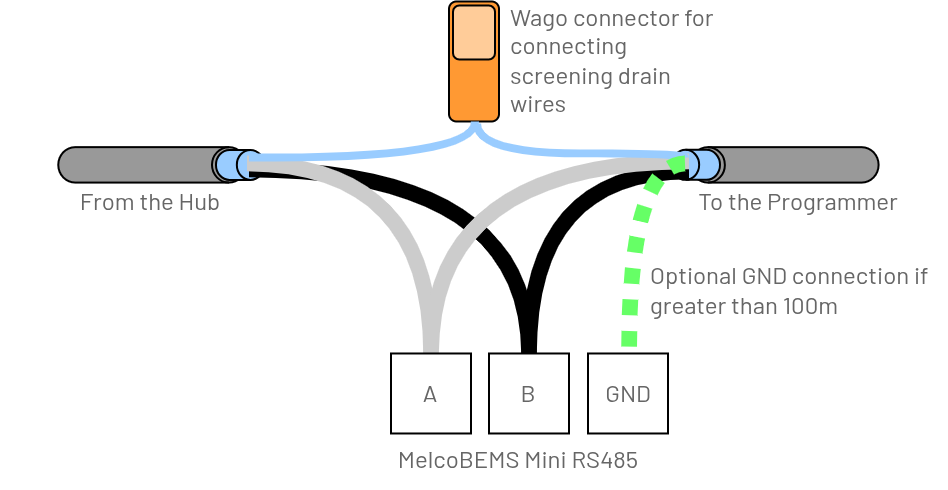
Guidance
- Connect both screened drain wires together, insulate and carefully locate it at the edge of the unit to reduce the chance of a short-circuit. Do NOT use the GND connection for this purpose
-
RS485 termination within the Passiv Programmer (see the Installation guide page 9)
Guidance
- Do NOT use the RS485 termination within the Passiv Programmer (see the Installation guide page 9)
- Unscrew the MelcoBEMS mini and connect the jumper J1 inside the module. This connects a termination resistor.
Connect the pre-fitted red connector to CN105 red connector on the right-side of the main PCB and secure the MelcoBEMS mini safely inside the unit.